Editing rental windows
This week, I developed some of the front end interface for rental listings and rental windows.
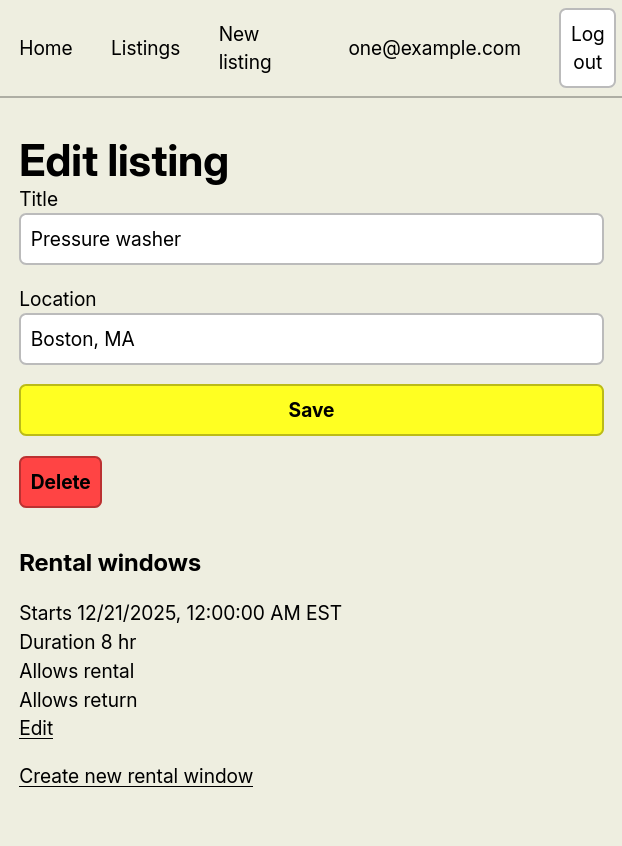
When editing a listing, there are now options to create and edit rental windows.
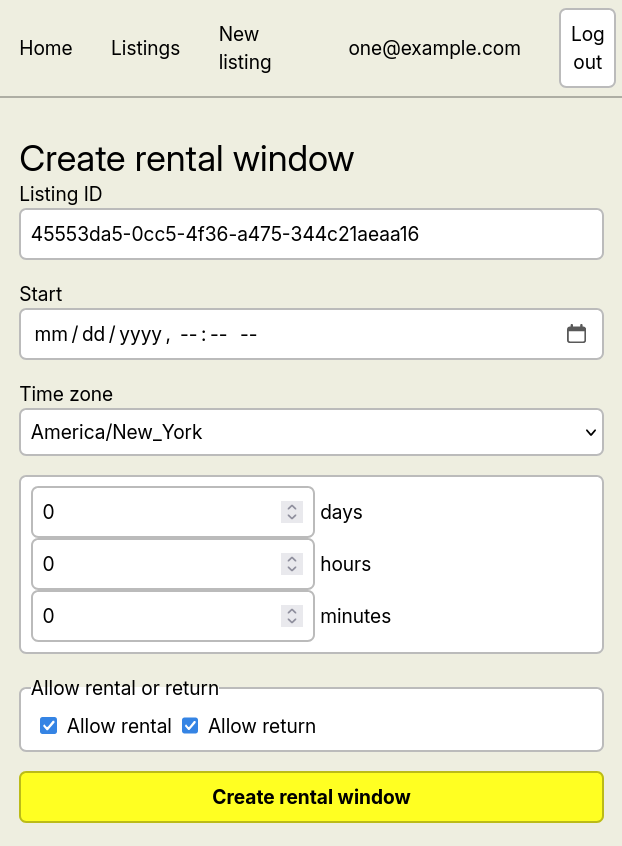
A rental window can be created with calendar information, including time zones.
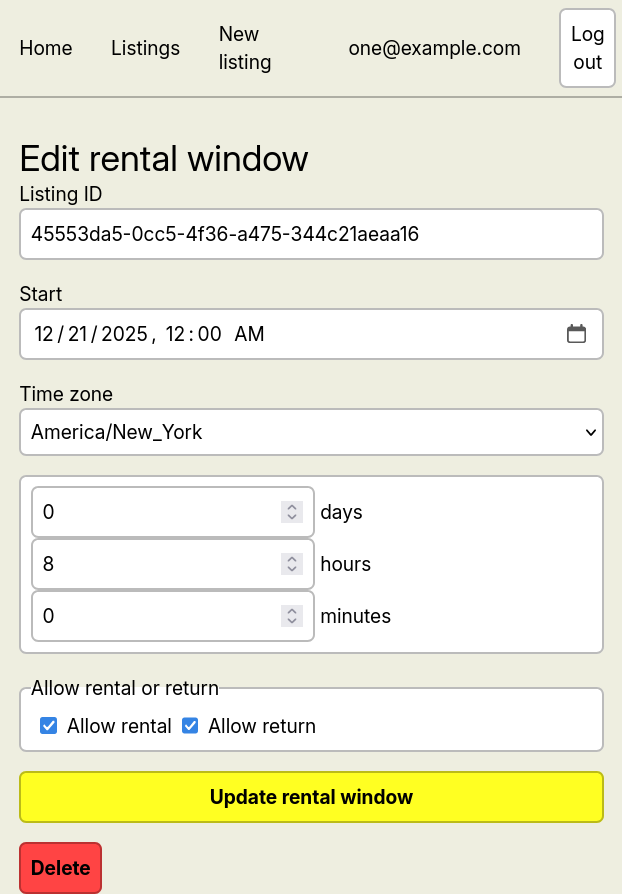
Existing rental windows can be edited.
Dates and times
After dealing with Postgres’ timestamptz, I learned my lesson and used JavaScript’s more complex Temporal API to handle dates, times, and time zones, with the help of @js-temporal/polyfill. Temporal works great with jiff, which both use RFC 9557 to represent timestamps with time zones.
Should rental windows move?
Although I developed the back end to allow rental windows to move, the front end recognizes rental windows to belong to a listing. To connect both, we must decide whether rental windows should be constrained to a single listing or independent of listing.
In the back end, any field that can be specified at creation can be later modified. Because of this design, all of a rental window’s fields, except for its ID, creation time, and update time, can all be rewritten by the user.
This design provides client applications the maximum amount of flexibility, using the back end to enforce the necessary side effects of a mutation. For example, it should be possible to create a single rental window for all listings on an account. Windows usually show how often a user is available to work, so it makes sense to let a rental window apply to multiple windows, potentially adding or removing listings as logistics change.
However, it is inherently dangerous to allow rental windows to move. Rental windows are shared resources, and any mutation can cause unintended side effects. Especially since rental windows determine the rules for renting a listing, it is safest to enforce consistency.
To build a safe but powerful system, we should formalize the assumptions we make about the system. By limiting the assumptions we make about the system, we should be able to create a robust baseline that supports the rest of the application.
Single-page application design
Currently, I’m using React Router to deliver the front end. It’s quite convenient, supporting various client- and server-side loaders and actions. I’ve been taking advantage of this to make API calls from the browser, automatically sending session cookies without passing it through client-side code.
Unfortunately, client-side logic bypasses default browser behavior, losing a lot of utility in the process. For example, Firefox prevents the user from submitting a form twice, but it is currently possible to create multiple listings and rental windows by submitting repeatedly. Also, React Router considers relative URLs to be children rather than siblings, causing some confusion.
To solve this, I could replace the client-side action with a server-side action that acts like a proxy, forwarding headers like cookies to the API. This approach could also convert form data to JSON when appropriate.
I could also rely more on plain HTML/CSS. As a solo developer, I can’t design every primitive from scratch. The browser provides plenty of functionality and accessibility, and clever use of CSS could mimic component-local styling. We will see if this works out.
Next week
Last week, I planned to implement searching, before I encountered these front-end bugs. Next week, I’ll fix these bugs by moving client-side logic to the server side.